Loxone & Matter as one system
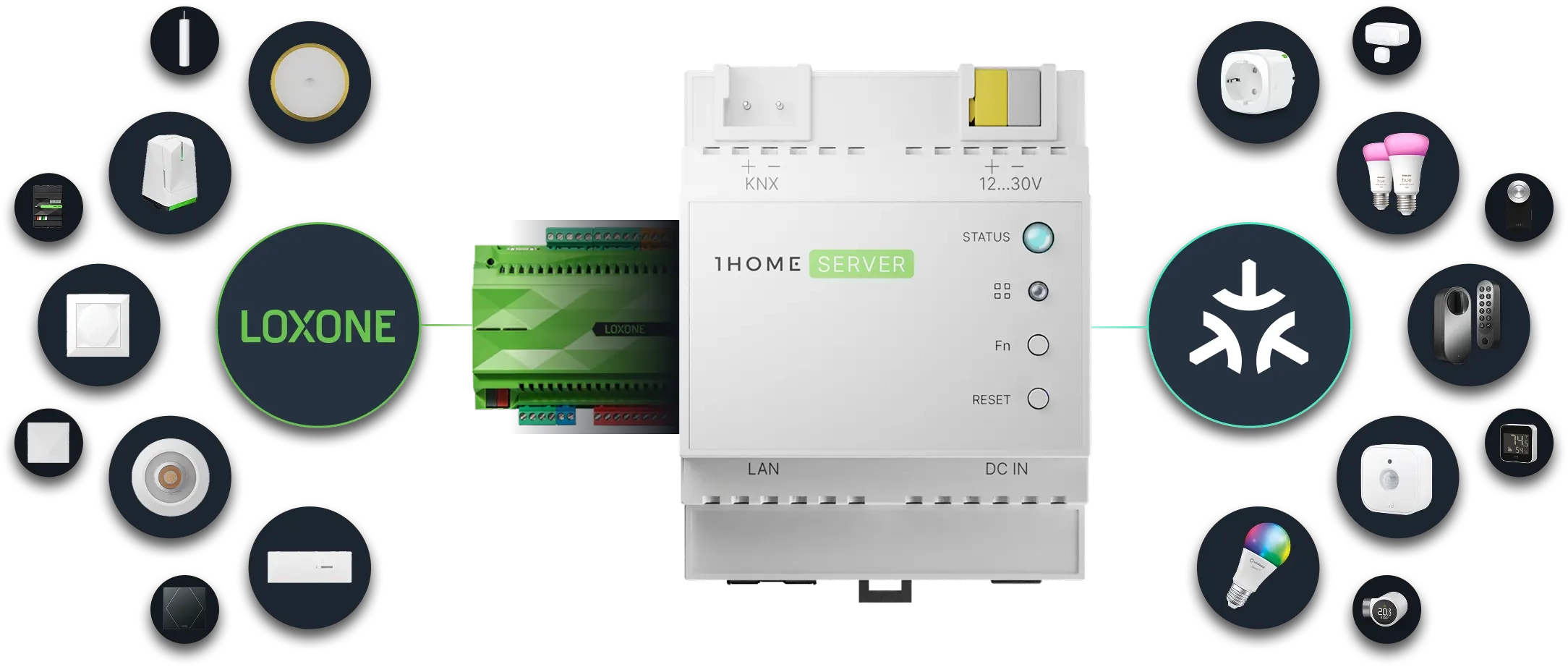
Connect Matter & Loxone devices, control them directly in the Loxone mobile app, and use them in automations as if they would be a part of the same system.

In the recent year, almost all bigger smart home manufacturers either started supporting Matter or announced its support. There are already hundreds of certified Matter devices like Philips Hue, Nuki, Nanoleaf Bulbs etc.


1Home Server enables you to control your Loxone and Matter devices directly from the Loxone mobile app - as if they were a part of the same system.

*In case of Thread devices, a Thread Border router is required.
Get the most out of the smart home by setting up complex
automation in a simple way. All running locally.


Triggers
Set rules for when certain automation should start.

Conditions
Make sure the conditions are met.

Actions
Configure desired action on any device.

Delays
Wait certain amount of time between conditions or actions.

Repeat
Do anything multiple times. (Not yet available)

Calculate & Transform
Calculate or create new values based on system data.


Trigger Philips Hue light scenes with a Loxone push-button.

Automate your KNX lights in the hallway with Eve Motion.

Unlock NUKI Matter door lock with Loxone mobile app.

Control IKEA smart plugs with Loxone mobile app.

Control Tado radiator thermostat heads with a KNX temperature sensor.
The examples shown are only a fraction of what can be achieved by combining KNX & Matter devices in 1Home Automations.
Go in depth on 1Home Automations with our CTO Gregor.


1Home Server works locally and if you remove it from the internet it won't even notice. Both KNX and Matter also don't require an internet connection so your home will always continue to work without interruptions (with the exception of voice control which does require internet).

Your home, your data. We respect your privacy and don't send any data to our servers except for critical system issues that might occur and basic system information needed for updating the software and remote access.

We connect to Loxone API and automatically import your full Loxone configuration so there is basically no technical knowledge required for the setup.

Manage all your devices, automation and connected apps within one simple to use dashboard.

Get expert help fast. System integrators can get access to our dedicated support channel with an even higher priority support.


There are a couple of key differences between the Bridge and the Server.
Both devices bridge KNX devices to smart assistants, but 1Home Server does this using Matter - the future-proof local-first open standard which all of the assistants are migrating to and are using as their core smart home protocol.
1Home Server runs completely locally (with the exception of the KNX ETS auto-detection feature) and is built to run without the cloud. 1Home Bridge still depends on the 1Home cloud to some extent, mostly due to the requirements of the older proprietary assistant integrations.
The 1Home Server also comes with powerful in-house designed hardware and with greater performance on which we have added more demanding functionality such as 1Home Automations.
Matter is an open standard for smart home technology that allows interoperability between any Matter-certified devices using a single protocol. The standard is already widely adopted and its fast growth is backed by industry leaders like Apple, Google, Amazon, Samsung, Philips, Eve, etc.
Matter unifies all smart home assistants (Apple, Google, Samsung, Alexa, etc.) to a single protocol giving the consumer the ability to choose their preferred smart home assistant ecosystem.
No, we do not charge monthly recurring fees.
You can request a refund of your order within the first 30 days since the order was delivered to you. Once the 30 days have passed since delivery, you will not be offered a refund and/or exchange of any kind. After discussing the refund with our support agents you have to ship the order back within the next 10 days. Learn more in our return policy.
The configuration is as simple as plug-and-play. You need no prior KNX ETS knowledge or special software. You also don't need to have an ETS license. All configuration is done via the local web dashboard. You can learn more here.